Dynamic Mosaic -
Help Dynamic Mosaic -
Help |
Dynamic Mosaic -
Help
Sources
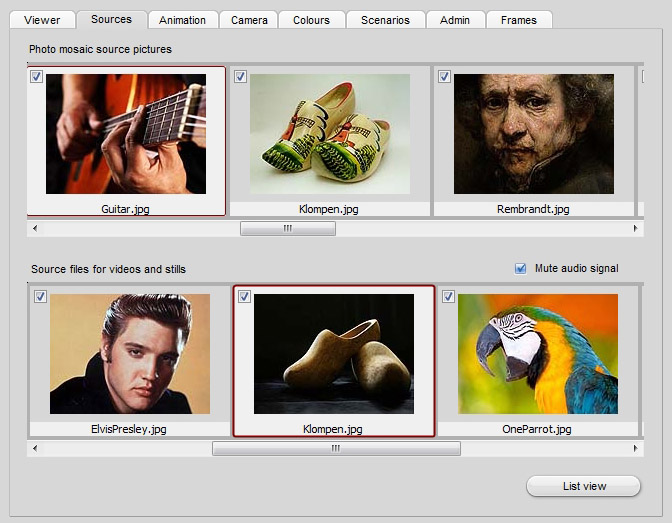
In this tab two kind of sources are shown: the source
pictures from which to create the mosaic, and the commercial pictures and video
files to be shown at regular intervals ('Interludes'). The source pictures are
loaded in a predefined folder on the hard drive. The precise location must be
indicated in the tab 'Admin' sub tab 'File locations'. When a non-valid location is found or no
source files are found the application may not run
properly!
Each picture of video thumbnail picture has a check box in
the left top corner. Only the checked pictures will be taken into the dynamic
views. These checks are not saved in the project file, and has to be managed manually
each time the application is started. To avoid extensive (un)checking the
show technician better only puts the valid files in the indicated folders.
The sub folders of the directories will not be read, so it's a convenient
way to store un-used pictures in a sub folder. The 'Source files for video and
stills' may contain video and picture files. The application
will try to auto detect if the commercial is a still message
(picture file) or a video. And then starts either a transition to a video or to a
photo. In case the sound of a video file should be mute you need to check the
box 'Mute audio signal'
. Double-clicking on a source picture will select that
picture for the mosaic. The mosaic is not generated automatically, and although
this pictures is shown in the GUI the technician still has to made the initial
mosaic manually by pressing the 'Initial Mosac'
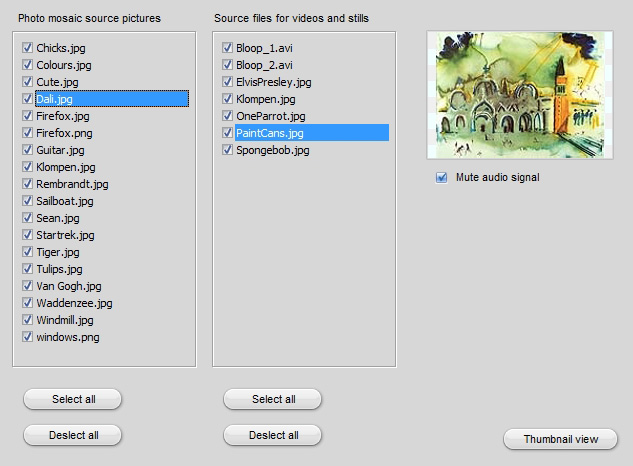
button. There are two ways to show the sources overview:
the listview and the thumbnail overview. The latter being explained above.
The listview has a couple of extra functions. When a video file is found
(file extension .avi) it will also show three video player buttons (stop, play,
pause).