Dynamic Mosaic -
Help Dynamic Mosaic -
Help |
Dynamic Mosaic -
Help
Animations
There are
two kind of animation settings: transitions (top box in picture below) and
mosaic
animations (bottom box). Personalizations
The title may be misleading here: personalization. But this reflects quite
good what is will encompass: Animation
settings
The animation is a very strong almost unique mosaic feature never seen before! It will scramble each cell
of the existing mosaic on the screen into a random pattern, or a shape of a
selected picture 'mask'. We have called it a mask because it will only
reposition each tile in the black areas of the miniature mask picture, avoiding
any time to be placed in the white area. This way all kinds of logo's
(commercial or not), fun and playful, can be shown. Each transition from mosaic
to the shape is done in a very exciting manner. All the settings are stored
in the project file. The controls are: Some
examples:
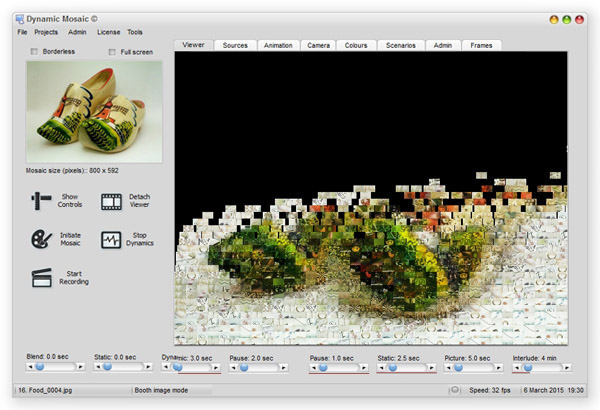
Example 1: "Blowing to right -
Rain"
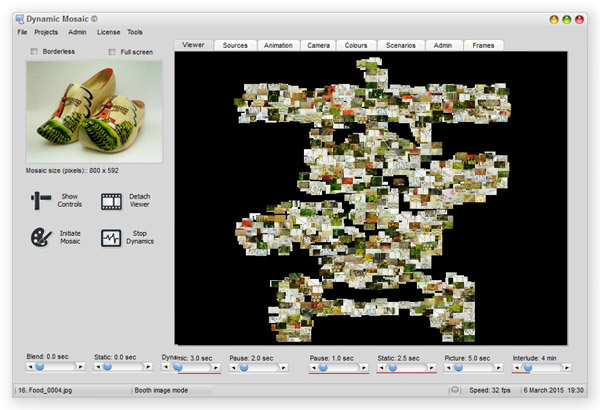
Example 2: "Use a mask" - the airplane
mask
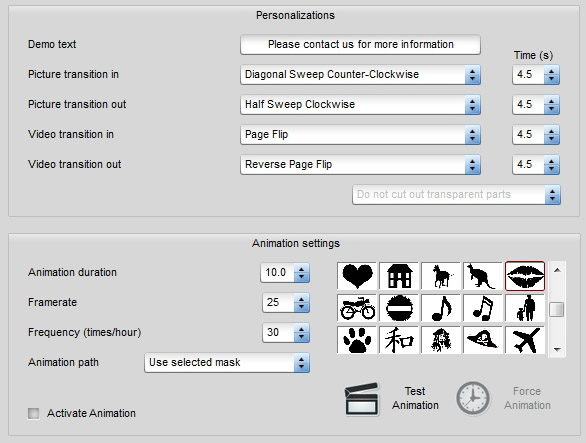
Demo text: when the
application runs in demo mode you can place your personal message here. Like
'Please contact blahblah on telephone number 0800-blah'. The text must fit in
the provided space to avoid that the text will not be placed in full on the
mosaic width. The text is stored in the project file.
Picture transitions of the
commercials. There are four possible transitions: two for 'transform' in and
out of the picture, and the other two for a video commercial. These settings
are also stored in the project file.
The
transition time (in
seconds): this is the time to transform the from mosaic to the commercial and
vice versa. A good value is 3-5 seconds, but it's a matter of taste, try-out
and most important: speed of the system. An i3 system will not perform very
well at high transition speed, so 5 seconds may just be fine, whereas 2.5
seconds is still performing great on an i7 system.
Animation duration: the
duration of the entire animation in seconds. Basically the transition is done
twice: from mosaic to random/shape, and back again.
Frame rate: the amount of frames that
is generated to make the animation. On i3 systems the frame rate should
be between 10 and 15, for i5 between 15 and 20, and for i7 above 25, but
not larger than 30. This frame rate must be found by trial and error and
must be done off-line a show where the mosaic application is
used.
Frequency (times per hour): the frequency of how often an animation must be shown. This value
should not be too high, in order to avoid that mainly animations are played,
and hardly new pictures are taken in. On the other hand, the dynamics can be
set to the minimum while constantly showing animations is certainly
possible by setting the correct combination of dynamics and
animations.
Movement path: select the animation
movement path from mosaic to random/shape. The paths are a combination of
end-point selection, and how the movement will be between start and end-point.
(Start-point = tile position in the mosaic; End-point = tile position in the
shape or random point). The first path is 'Use selected
mask' which activates the mask option; all the other movement
paths will generate a random end-point for each tile (but still in a beautiful
pattern). The second option 'Use a random mask'
will randomly select a mask from the list with every new
animation.
Force animation will start an animation as soon as the dynamic
mosaic sequence allows for it (i.e. when pause timer becomes
active).
Test animation only works when the
dynamic mosaic sequence is not active and a recent mosaic picture has been
created ('Inital Mosaic'
button). This is particularly
useful to test and select the desired
movement path for the show.
The
masks : the selected mask
shows a red box.New masks can be added by the technician. Only the masks that
are found at application start-up are found in this mask grid. The technician
therefore has to do a bit of homework:
create a mask, e.g. in Photoshop. The mask should not be too large, the installed masks are only 266 x 188 pixels in size. The mask must be black and white only. Do not use gray scale colors, the application rigorously only select pixels that are white.
add
the mask file in the mask folder (default: 'C:\Users\Public\Documents\APP\Dynamic Mosaic\Masks'), and then restart the application. The mask will be visible in the mask grid overview.